Introduction
Paying your team on time — without headaches, compliance errors, or surprise fees — is an essential part of growing a small business.
But if you’re price-conscious or just starting out, full-featured enterprise payroll tools might feel too costly. The good news? There are affordable payroll services in 2026 that still deliver:
- automated tax filing
- direct deposit
- support for contractors
- compliance tools
- easy onboarding
In this guide, we look at the best affordable payroll services for small businesses in 2026 — comparing pricing, features, strengths, limitations, and real use cases.
Why Affordability Matters (But So Does Value)
Low cost shouldn’t mean low quality.
The right affordable payroll service should still provide:
- correct tax calculations
- timely payments
- compliance with federal & state requirements
- clear reporting
- support when you need it
Let’s evaluate the best cost-effective payroll solutions you can use right now.
Quick Comparison: Best Affordable Payroll Services (2026)
| Payroll Service | Starting Cost | Per Employee Fee | Tax Filing | Best For | Ease of Use |
|---|---|---|---|---|---|
| OnPay | ~$49/mo | ~$6/employee | Included | Small teams & contractors | ⭐⭐⭐⭐ |
| Patriot Payroll | ~$10/mo | ~$4/employee | Optional | Microbusiness & startup | ⭐⭐⭐ |
| Gusto (Simple) | ~$40/mo | ~$6/employee | Included | Full small business payroll | ⭐⭐⭐⭐ |
| Wave (via integrations) | Free | Depends on add-ons | Manual | Budget payroll entry point | ⭐⭐⭐ |
| Square Payroll | ~$35/mo | ~$5/employee | Included | Retail + small teams | ⭐⭐⭐⭐ |
(Pricing is approximate and varies by region, features, and add-ons. Always check current pricing before subscribing.)
1) OnPay — Best Overall Affordable Payroll Service
Best for: Small businesses that want full payroll features at a predictable price.
Pricing
- ~$40 base per month
- ~$6 per employee monthly
What You Get
✔ Full tax filing (federal & state)
✔ Contractor & employee payroll
✔ Multi-state payroll support
✔ Simple reporting
Why It’s Affordable
OnPay combines payroll, tax filing, and contractor support at a very accessible price — without forcing you into costly add-on tiers.
Pros
- Transparent pricing
- Full tax filing included
- Easy setup
- Clean user interface
Cons
- Not as many advanced HR features as enterprise platforms
Best choice if you want a strong core payroll service with predictable pricing.
2) Patriot Payroll — Cheapest Core Payroll Option
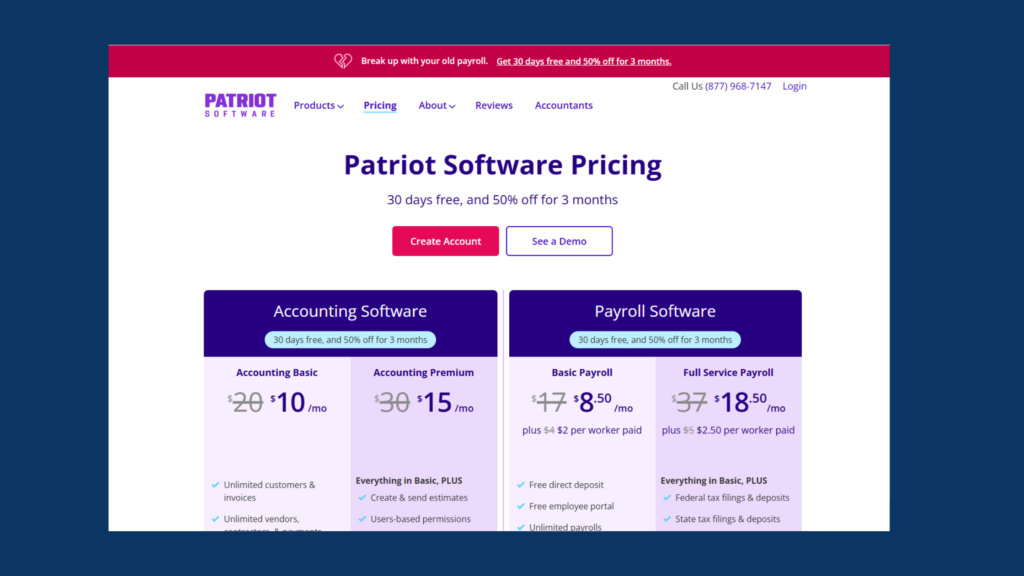
Best for: Solopreneurs and microbusinesses with tight budgets.
Pricing
- ~$10 base per month (core)
- ~$4 per employee (core)
- ~$30 base per month (full service) + ~$6 per employee
What You Get
✔ Basic payroll processing
✔ Direct deposit
✔ Add-on tax filing
Why It’s Affordable
Patriot charges extremely low base fees, making it one of the cheapest real payroll services available.
Pros
- Very low entry cost
- Simple setup
- Quick onboarding
Cons
- Full tax filing is an add-on
- Fewer advanced features
- Manual steps may be needed for compliance
Best if keeping payroll costs ultra-low matters most.
3) Gusto (Simple Plan) — Affordable With Full Tax Filing
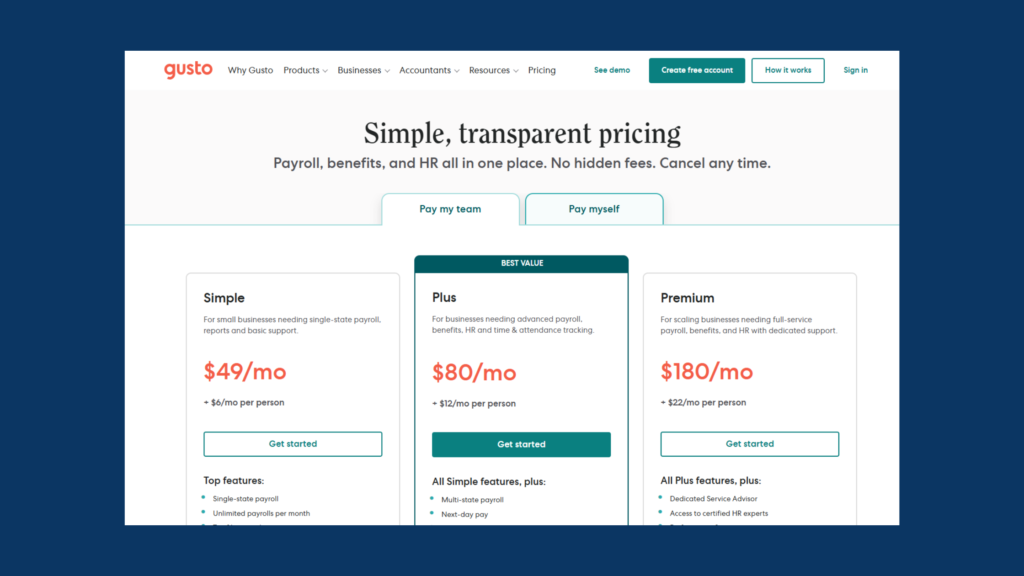
Best for: Small teams who want payroll simplicity + compliance automation.
Pricing
- ~$49 base per month
- ~$6 per employee
What You Get
✔ Federal & state tax filing
✔ Next-day pay options (higher tiers)
✔ Contractor support
✔ Employee self-service
Why It’s Affordable
While priced similarly to OnPay, Gusto offers excellent UI and team tools that make payroll easier for beginners.
Pros
- Strong automation
- Intuitive interface
- Excellent customer support
Cons
- Add-ons for benefits can increase cost
Best if you want full payroll features without enterprise pricing.
4) Wave (with Integrations) — Budget Entry Pathway
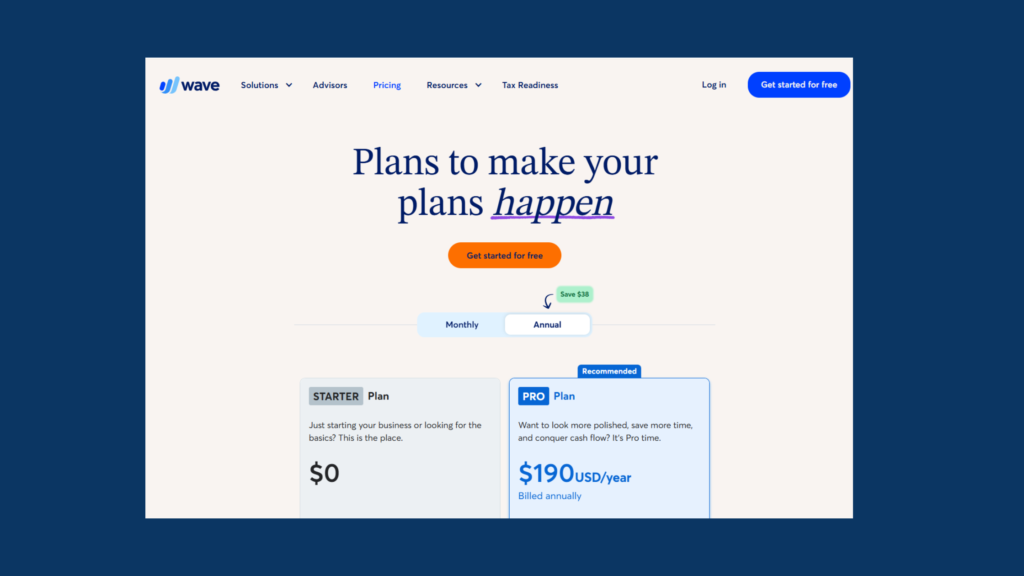
Best for: Very early-stage businesses and freelancers.
Pricing
- Free core platform
- Payroll via third-party integrations (paid add-ons)
What You Get
✔ Free accounting dashboards
✔ Basic invoicing
✔ Add-on payroll services
Why It’s Affordable
Wave itself is free, so you can use basic financial tools, then plug in a low-cost payroll add-on.
Pros
- Free bookkeeping tools
- Good entry point
- Works well with freelancers
Cons
- Payroll isn’t included — requires integrations
- Limited reporting
Best if you want the lowest entry cost and already use Wave for accounting.
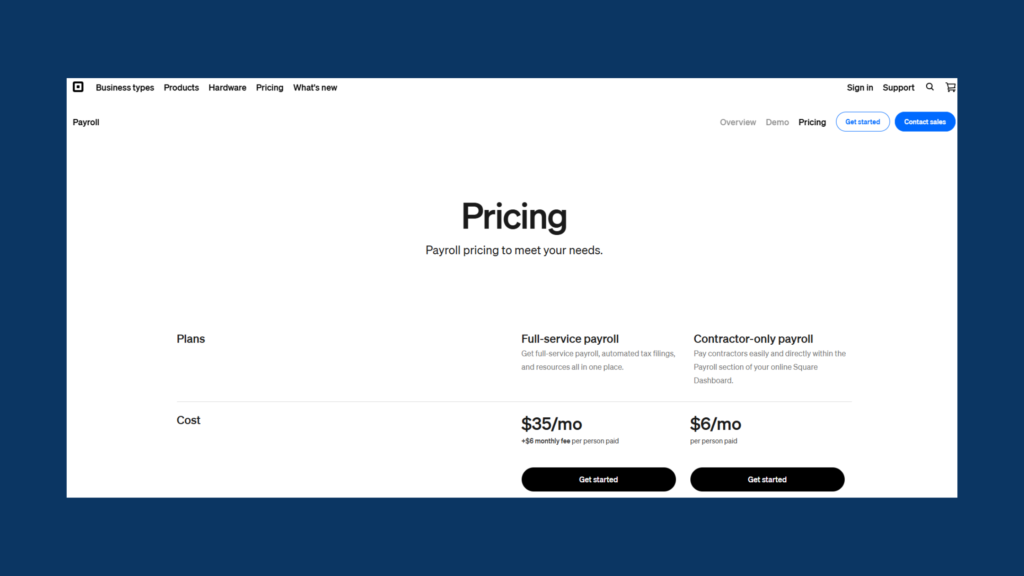
5) Square Payroll — Best Affordable for Retail & Service SMBs
Best for: Small retail and service businesses with pop-up teams.
Pricing
- ~$35 base per month
- ~$6 per employee
- Tax filing included
What You Get
✔ Automated payroll tax filing
✔ Seamless integration with Square POS
✔ Contractor payroll
✔ Timecard syncing
Why It’s Affordable
Square combines payroll with POS tools, making it easy for businesses already in the Square ecosystem to manage paychecks seamlessly.
Pros
- Strong for retail/service businesses
- Integrates with Square products
- Easy time tracking
Cons
- Less powerful for larger teams
- Not ideal if you don’t use Square POS
Best for businesses already in the Square world.
How Affordable Payroll Services Charge (What to Expect in 2026)
Most services use a simple hybrid pricing model. This may include the following:
i) Base Monthly Fee
Paid every month — usually $10 to ~$50+, depending on service.
ii) Per Employee / Contractor Fee
A recurring fee for each person you pay.
iii) Add-Ons
Optional extras like:
- Enhanced compliance alerts
- Contractor-specific features
- Benefits administration
- Time tracking modules
How to Choose the Right Affordable Payroll Service
Ask yourself:
a) How many employees do I have?
Small teams = cheaper options like Patriot or OnPay
Larger small teams = Gusto or Square
b) Do I need full tax filing included?
If yes → OnPay, Gusto, Square
If no → Patriot (tax add-on)
c) Am I already using accounting software?
Integration matters:
- QuickBooks Payroll, if you use QuickBooks
- Wave integrations, if you use Wave
What Small Business Owners Should Consider in 2026
Payroll decisions should factor in:
>> Tax Compliance
Late or incorrect payroll taxes = penalties.
>> Ease of Use
The simpler the UI, the fewer mistakes.
>> Add-Ons vs Core Features
Compare total monthly cost, not just base price.
>> Growth Path
Don’t outgrow your payroll system in 6–12 months.
Frequent Pricing Mistakes to Avoid
- Choosing solely based on base price
- Ignoring per-employee fees
- Forgetting about multi-state tax costs
- Paying for add-ons you don’t use
A true pricing comparison should consider total annual cost, not just the monthly starting price.
Final Verdict: Best Affordable Payroll Services (2026)
| Best For | Recommended Payroll |
|---|---|
| Lowest Cost Payroll | Patriot Payroll |
| Best All-Around Value | OnPay |
| Best with Tax Filing Included | Gusto |
| Best Retail/Service | Square Payroll |
| Budget Entry Pathway | Wave + Integrations |
The right choice depends on your:
- Team size
- Budget
- Compliance needs
- Accounting software ecosystem
Related Resources You May Find Helpful
➡️ Best Payroll Software for Small Businesses (2026)
➡️ Payroll Software Pricing Comparison (2026)
➡️ Best Accounting Software with Payroll Included (2026)
These pages work together to help you pick the best tools for your business stage.
Want a different software? Start your free trial with Xero today!